Deployed application
Vozhyk Help and Support
Usage guide for Vozhyk on iPhone. Last updated: October 23, 2026.
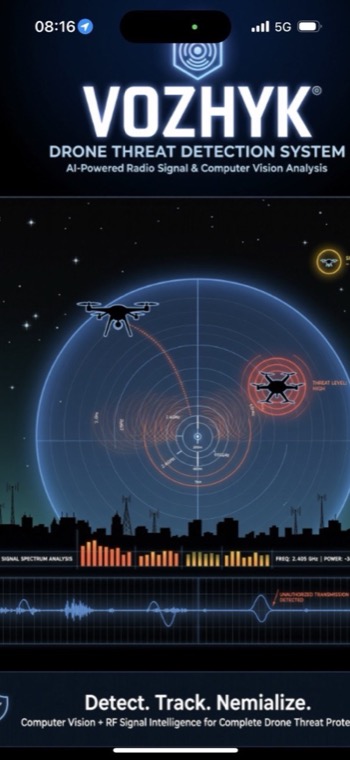
Vozhyk is an on-device drone awareness and object detection utility for iPhone. It uses the live camera, local detection models, Bluetooth Low Energy checks, optional location and heading context, device motion, and best-effort Wi-Fi network information where iOS permits access.
Vozhyk is an awareness tool, not an emergency service, certified safety system, aviation safety system, weapon system, or professional measurement instrument. Detection, distance, coordinate, and signal results are estimates.
On-device drone awareness
Use the camera scanner, adjust detection settings, and keep privacy-sensitive analysis local.
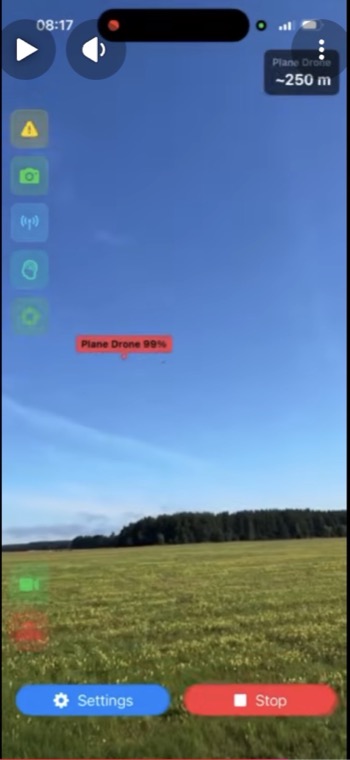
Vozhyk can highlight supported visible objects, help inspect distant objects with zoom controls, and optionally save local track logs when you enable them.
Quick Start
- Install and open Vozhyk on an iPhone running iOS 16 or later.
- Allow camera access when prompted.
- Allow Bluetooth, location, motion, or local network only if you want the related optional features.
- Use the live camera scanner to monitor supported visible objects.
- Use the zoom buttons to set a manual zoom baseline for distant objects.
- Open Settings to choose object classes, language, track logging, and ads options.
Detection Settings
New installs enable Drone, Plane Drone, Human, and Auto by default. Other supported object types can be turned on in Settings. Keep extra object classes off if you want a quieter scanner focused on the primary awareness workflow.
Ads and Remove Ads
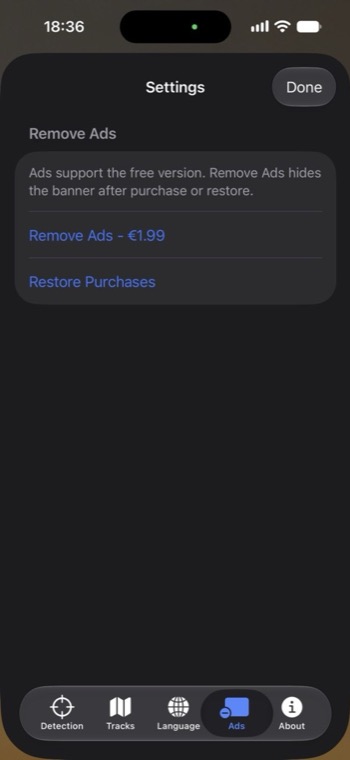
Vozhyk is free with a top banner ad for users without ad-free access. A one-time Remove Ads purchase is available in Settings. The Restore Purchases button restores a previous purchase. Existing paid users from earlier paid builds receive ad-free access automatically.
Privacy and Local Data
- Camera frames are processed on device for object detection.
- Bluetooth, Wi-Fi name checks, location, heading, motion, and local accessory data are used locally for related features.
- Optional track logs are stored locally on the device when enabled.
- Google Mobile Ads may process advertising-related data for users without ad-free access.
- Remove Ads purchases and restores are handled through Apple StoreKit.
Read the full Vozhyk Privacy Policy.
Troubleshooting
No camera preview
Open iOS Settings, find Vozhyk, and confirm Camera permission is enabled.
Bluetooth or signal checks are missing
Confirm Bluetooth permission is enabled. Radio checks are local, best-effort, and may not identify every nearby device.
Location or Wi-Fi context is unavailable
Confirm Location permission is enabled. iOS may restrict Wi-Fi network name access depending on device and network state.
Ads do not appear
Ads may be unavailable while ad serving is still starting, when the network has no fill, or when the user has Remove Ads or legacy ad-free access.
Support Contact
For support, contact tech_support@vozhyk.com. Include your iPhone model, iOS version, Vozhyk version, and a short description of the issue.