Deployed iOS application
Gridless AI Help and Support
Usage guide for Gridless AI on iPhone. Last updated: October 25, 2026.
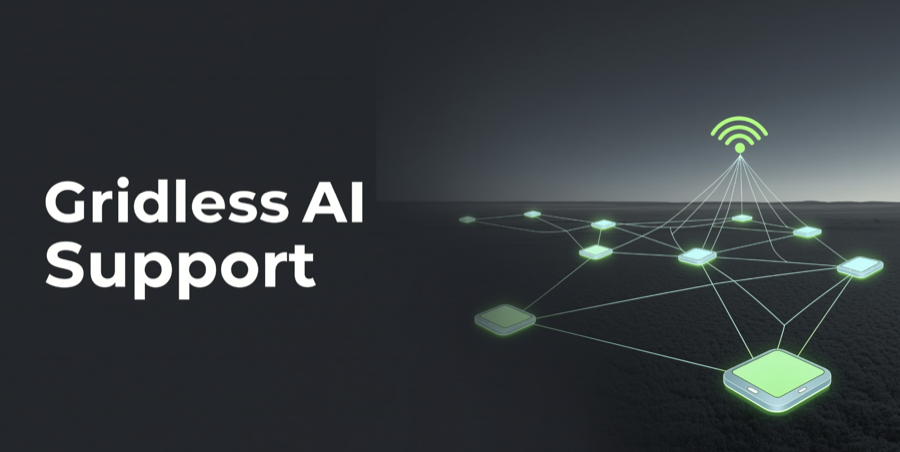
Gridless AI is a local-first AI workspace for private chat, learning quests, contribution points, and secure coordinator connectivity. The app is designed so raw chat history stays on your iPhone.
Gridless AI is not a medical, legal, financial, emergency, safety-critical, or professional advice system. Review important answers before relying on them.
Private local-first AI
Chat locally, earn app utility points, and connect through a secure coordinator.
Gridless AI prepares a local AI runtime on iPhone and uses a lightweight secure server for model manifests, peer discovery, and contribution sync. The server is a coordinator, not a place where your raw chat history is stored.
Quick Start
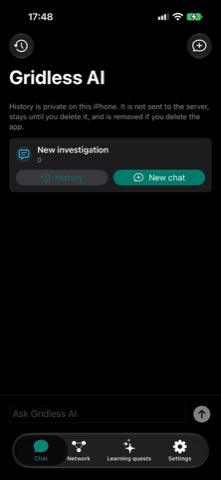
- Open Chat and type a question in the text field.
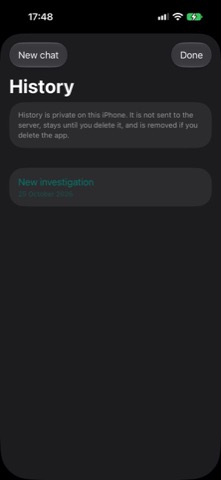
- Use Chat History to keep separate local conversations on your iPhone.
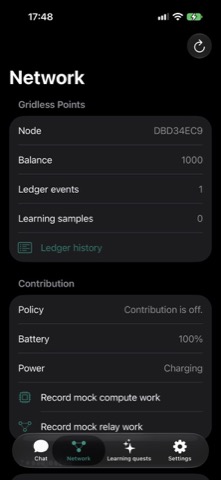
- Open Network to check secure coordinator status and nearby peer count.
- Open Learning Quests to solve private tasks and earn Gridless Points.
- Open Settings to manage language, contribution options, help, and Remove Ads.
Chat
Chat history is stored locally on the iPhone. The app does not upload raw prompts or raw chat history to the Gridless server. During early releases, local inference may still show as pending while model download and runtime features are being completed.
Network
The Network tab checks whether the secure Gridless coordinator is reachable. The coordinator helps with model manifests, peer discovery, and contribution sync. Communication uses the app's secure API path and App Attest support.
Learning Quests
Learning quests are private tasks that ask you to solve, rate, correct, or explain content. The app stores learning samples locally unless a future sharing option is explicitly introduced and enabled by you.
Gridless Points
Gridless Points are app utility credits only. They are not money, not cryptocurrency, not transferable, and not redeemable for cash. Points may be used inside the app for app-specific features.
Contribution Controls
Settings let you decide whether this iPhone may share compute while the app is open, and whether charging should be required. Gridless AI also monitors battery and thermal state so contribution work can pause when the device is not stable.
Ads and Remove Ads
The free version may show Google Mobile Ads banner ads. You can use the Remove Ads purchase in Settings to remove banner ads for the Apple ID that bought the purchase. Restore Purchases checks the App Store for an existing purchase.
Troubleshooting
- If Network shows Not connected, check internet access, VPN/proxy settings, and try Refresh again.
- If nearby peers show 0, that is normal when no other compatible nearby iPhones are available.
- If Remove Ads is not available, check App Store connectivity and try Restore Purchases.
- If learning or contribution pauses, check battery level, charging state, and device temperature.
- If the app behaves unexpectedly after reinstalling, delete and reinstall once more, then retry Network refresh.
Privacy Summary
Gridless AI does not require an account. Raw chat history and raw prompts are designed to remain on your iPhone. The app uses a secure coordinator for limited operational data such as app attestation, anonymous node status, model metadata, peer discovery, and contribution events. Read the full Gridless AI Privacy Policy for details.
Contact
Oleg Bourdo
tech_support@vozhyk.com